
WisePorter v1.10 Release Notes

We certainly haven’t been idle over the summer! Below, you’ll find the latest updates from our feature-packed 1.10 release.
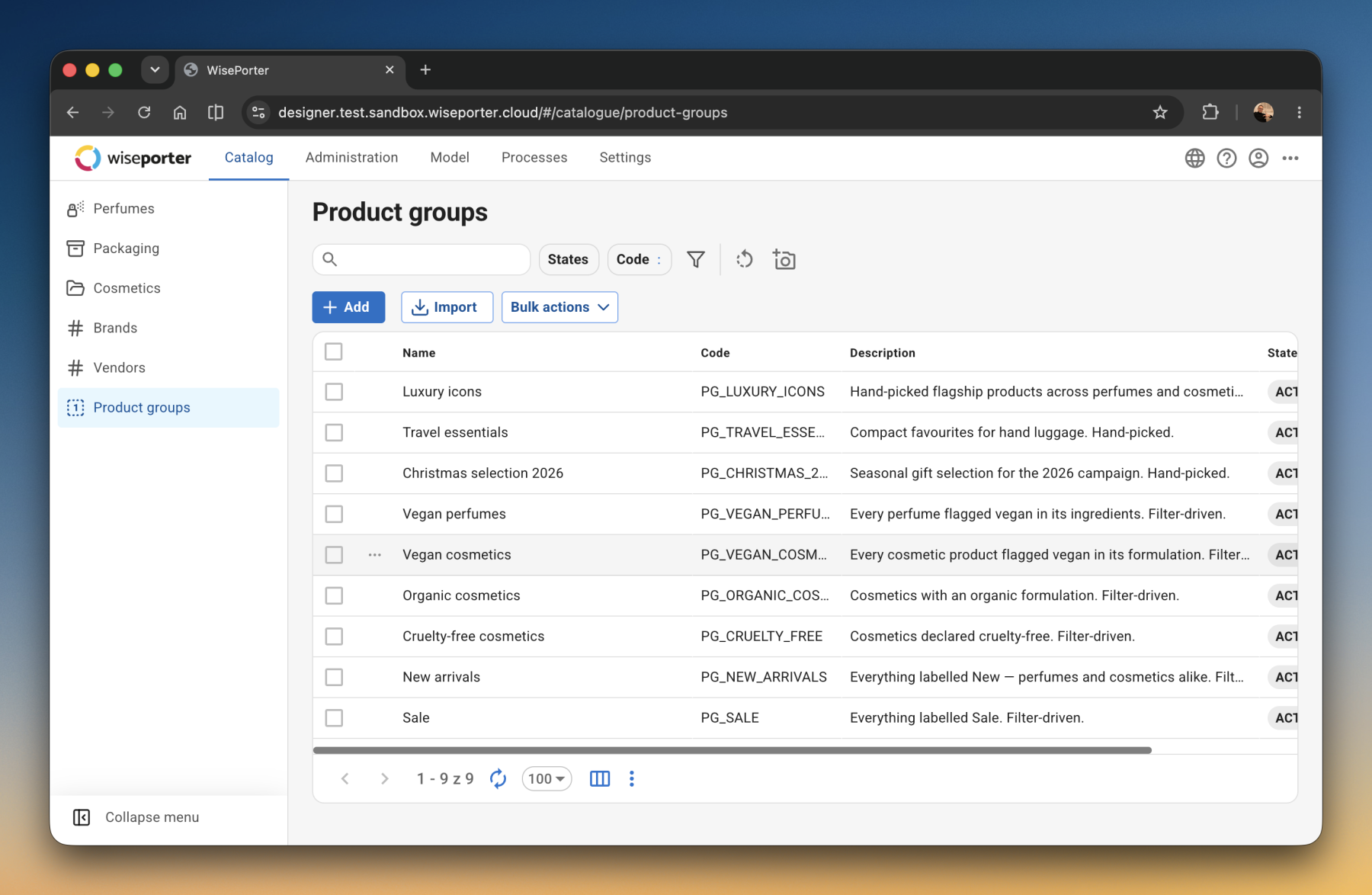
A discount on an entire product group – including the ones added tomorrow
A twenty-percent discount on all disinfectants priced above 500 crowns sounds like a job for a few minutes. In practice, it means finding those products, listing them, and then remembering a month later that a new disinfectant belongs in the same group too.
From version 1.10, WisePorter can work with product groups. You only need to describe once what belongs in the group, and the rule is then applied to the group as a whole. A group can be built manually, populated automatically according to specified conditions, or a combination of both.
When a group is set to maintain itself, new products are added to it automatically. For a scheduled promotion, on the other hand, the content can be frozen.
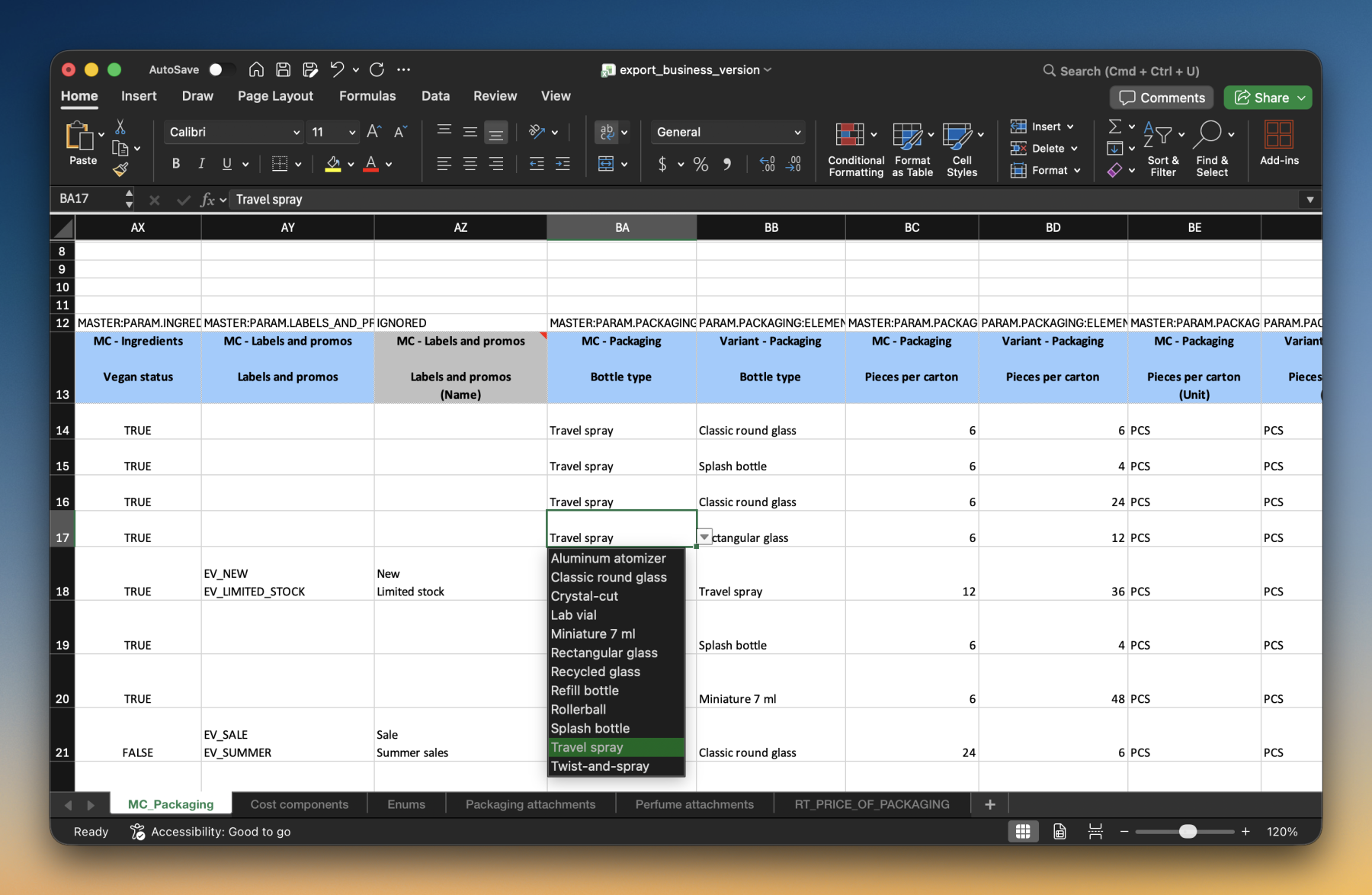
In Excel, values are picked from a list, not typed out by hand
Bulk edits of product data are often done in Excel: data is exported from WisePorter, edited, and uploaded back. For fields with a fixed set of allowed values – such as package type, category, or status – values used to be typed in by hand. A single typo was enough to stop the file at an error during upload.
In version 1.10, the list of allowed values is carried over into the exported file itself. For these fields, Excel now offers a dropdown of allowed values, and you simply pick from it by name.
This means the data can be prepared even by someone outside the team, such as an external supplier, and the upload will succeed on the first try.
Linked products can be uploaded in a single file
A suitcase has one master item with five size variants, each with its own price and code. Via Excel, only the individual variants used to make it into the catalog, and the master item and the relationships between them had to be added separately.
Now a single file is enough. WisePorter uses it to create the master item, all of its variants, and the relationships between them at once. It works the same way for products that form a single whole – for example, an assembly and its components.
Values common to all variants are filled in only on the master item, and the variants inherit them, so they don’t need to be repeated in the spreadsheet.
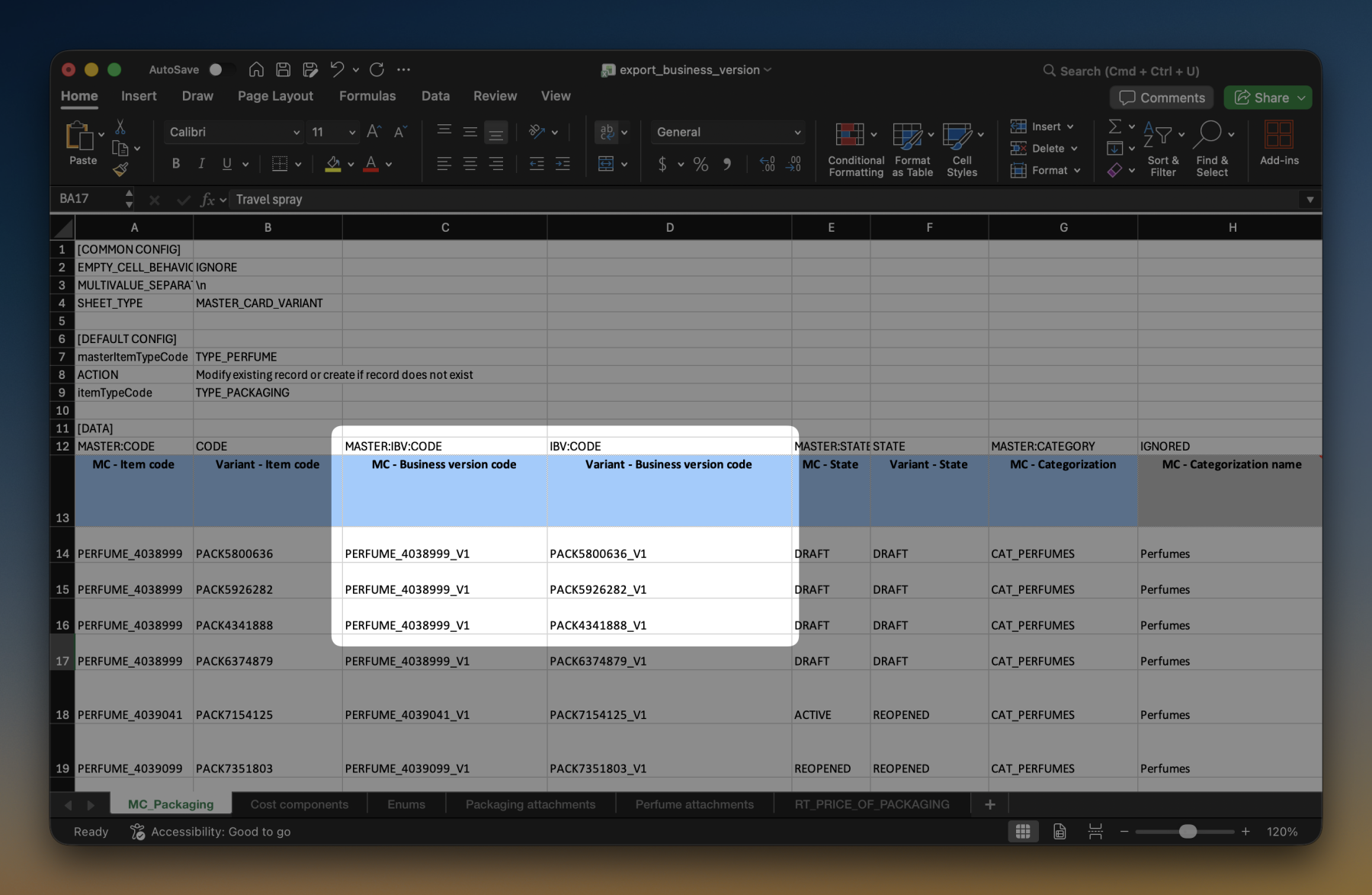
Variant codes and names are generated to match your naming conventions
A winter jacket in four colors and five sizes is twenty variants. For each one, the code and name previously had to be assembled by hand, or followed a fixed pattern that didn’t necessarily match the company’s own naming conventions.
In version 1.10, WisePorter assembles them automatically. You describe the rule once, and it applies to the whole catalog. The variant code is generated in the format the company is used to, including a composite code that shows which master item it belongs to. The name is assembled from the master item’s name and the variant’s designation, so “Winter Jacket Toronto” and “blue, size L” produce a clear, readable name.
The result is consistent naming across the whole catalog and faster creation of new variants.
Codes that assemble themselves
A product variant gets moved under a different master item. But one of its identifiers still carries the code of the master item it used to belong to, and nobody necessarily notices. Besides its own code, an item can also carry additional identifiers – called aliases in WisePorter – and it can have as many as it needs: a supplier’s EAN, an ERP number, an e-shop code, or a composite code that shows which master item the variant belongs to.
Most aliases come in automatically from surrounding systems. But the composite ones used to have to be filled in manually by someone, who then had to remember, after every move, that the first part was no longer valid, and rewrite it.
From version 1.10, you only need to describe once what the alias should be made of. WisePorter then builds it for every item the rule applies to, and recalculates it the moment the relationship changes. No one edits it manually, so aliases keep following the same rule across the catalog, even after items are moved.
Repricing an entire set of products in one step
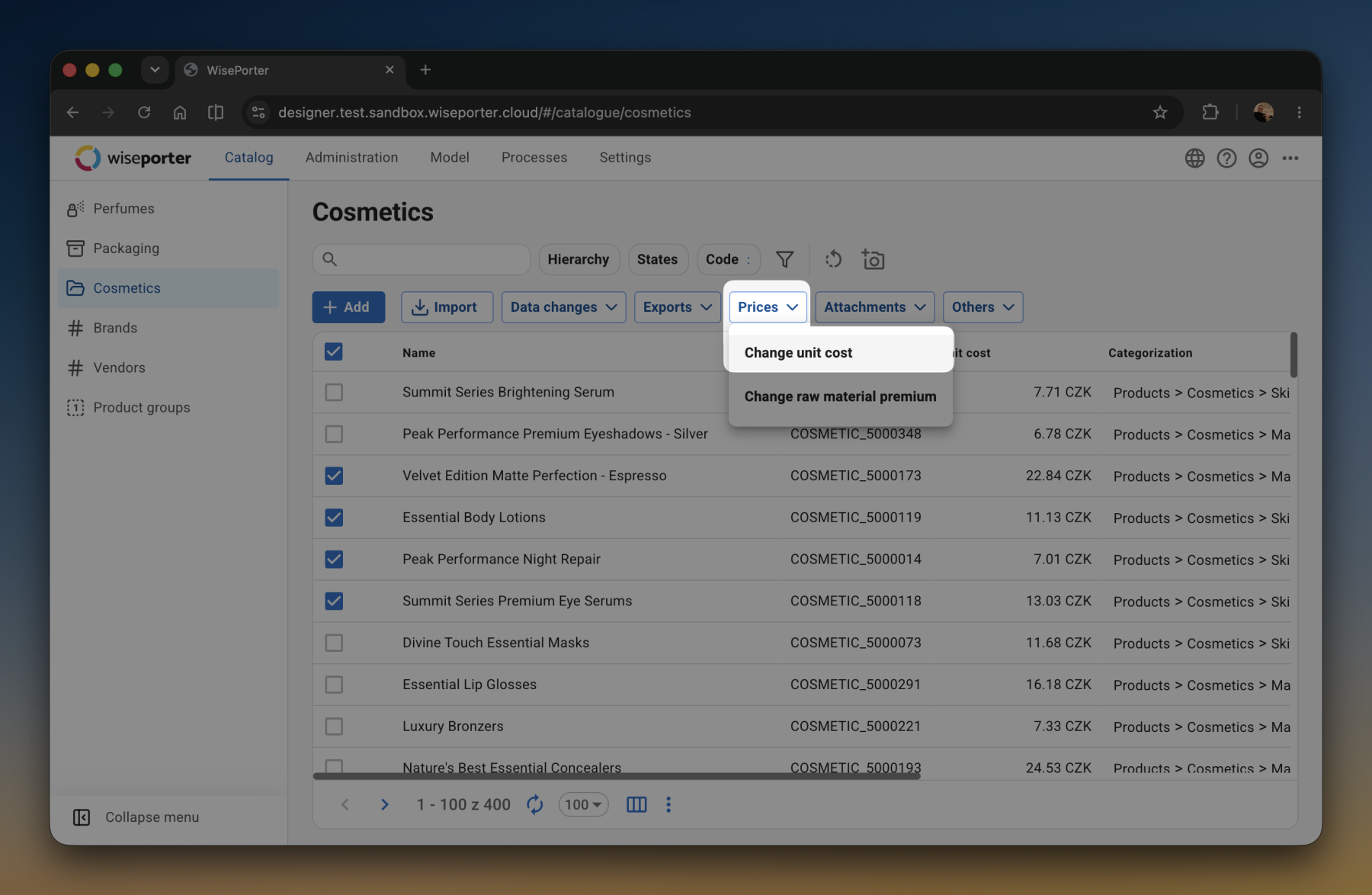
Repricing fifty products at once is a routine task in WisePorter. A bulk action can set or remove a value for a selected set of products, for example, turning free shipping on or off.
Until now, however, this wasn’t possible for numeric values. The bulk action can now also be applied to numeric values – not by entering a target value, but by entering the desired change. This lets you raise a price by twenty percent or by fifteen crowns, relatively or in absolute terms. Processing runs in the background, so work in the catalog doesn’t have to wait for it to finish.
Set up notifications without a developer
A product is waiting for approval, or hundreds of products change overnight, and someone needs to notice. WisePorter has long been able to send such notifications, but they always had to be custom-built for a specific implementation. Sending was hard-coded, so even changing the text or the recipient required a developer’s involvement.
From version 1.10, the notification scenario is a standard part of the product, configured by an administrator. A message can be sent immediately after the event, or as a summary over a chosen period, and it includes links directly to the affected products. The text, recipient, and language are set in the application and can be changed just as easily at any time.
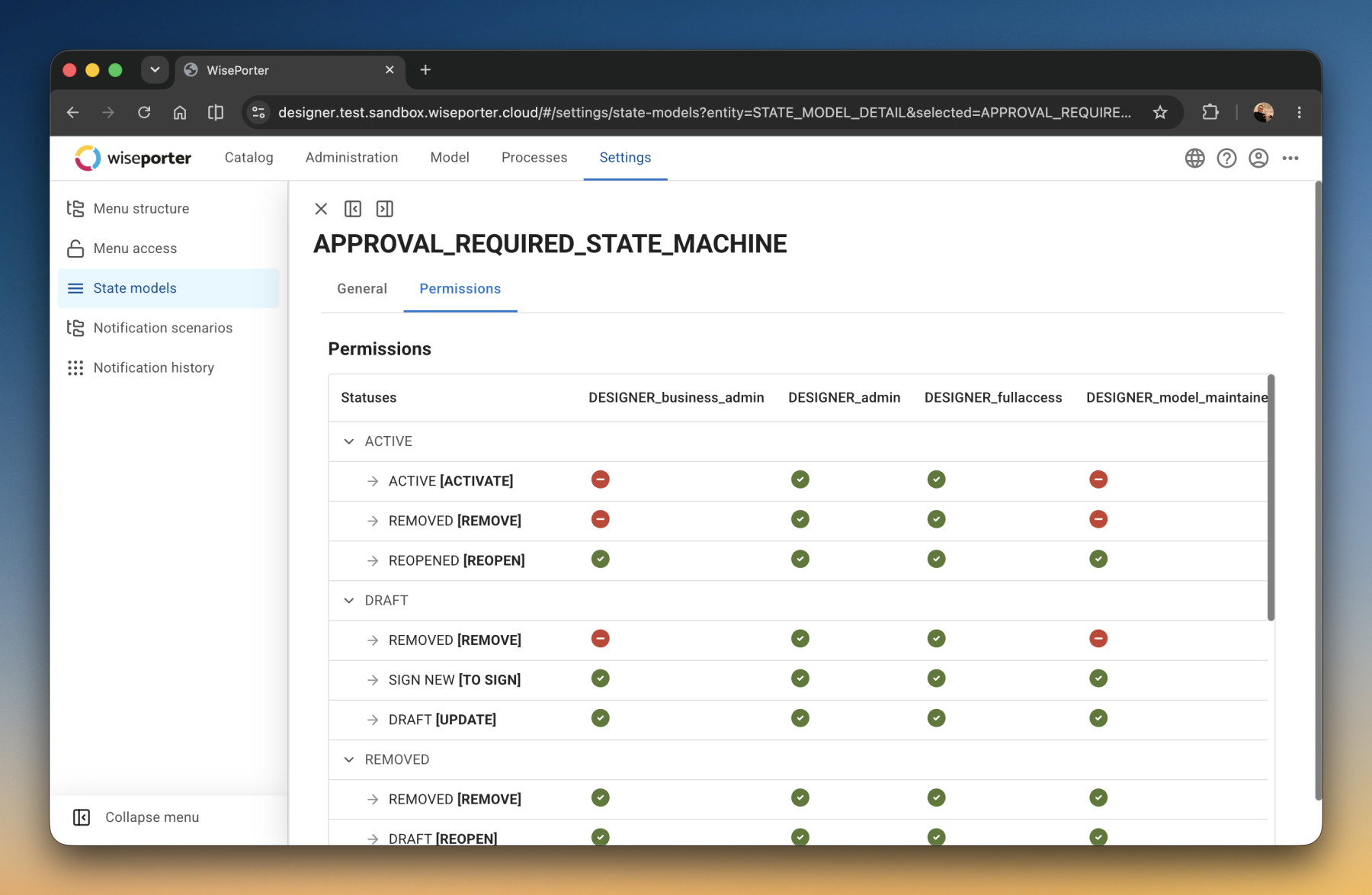
Nothing goes on sale without going through approval
Product data goes through a process. Someone prepares it, someone reviews it, someone releases it for sale. Who is allowed to perform which step could already be configured before, but it was handled in the status model configuration.
From version 1.10, this is set directly in the application and tied to roles. So anyone on the product team can prepare a new price, but only an approver can activate it. Anyone without the right won’t even see the action on the product, so they can’t skip the step even by accident. Rules can be set globally or just for a specific group of products.
A view into the catalog with no risk of changes
Sometimes someone needs to see product data without changing anything in it – an auditor, a colleague from another department, a supplier. Until now, this kind of access could only be set up for one type of user, and permissions for every additional one had to be pieced together in a complicated way.
Now, as many users as you need can have read-only access, and each one can see a different part of the catalog. For example, an internal auditor might see everything, while an external partner sees only what’s intended for them. Neither of them can create, change, or delete anything.
Clearer filter names
You filter products by width, and “width” appears five times in the list. One belongs to the product, another to the packaging, another to the spec sheet. The filter list, though, only showed the name itself, so there was no way to tell which was which.
WisePorter now shows, for every filter, its full name along with which part of the product it belongs to. Among five identically named options, it’s now immediately clear which one is the right one. If a property is maintained in multiple languages, you can also filter by just the language version you need.

Value lists are displayed in an order that makes sense
Value lists in WisePorter hold fixed sets of allowed values – units, countries, categories, statuses. The display order, however, couldn’t be configured, so users had to sort the list by hand every time they opened it.
You can now set a default sort order for a value list. Values are then shown right away in the chosen order, speeding up both searching and the data entry itself.
Language versions in the order that suits you
Product descriptions might be filled in, say, in Czech and German, but German always had to be found at the end of a long list of languages. That’s because the order used to reflect the sequence in which languages were added to the system.
From version 1.10, the language order can be configured. The most frequently used languages can be placed right at the beginning, so text for multiple markets can be filled in faster.
A new relationship type in just a few clicks
Relationships link products that belong together: a compatible tire with a wheel, an add-on with a base plan, a spare part with a machine. For such a link to work, a relationship type first has to be created in the catalog, defining what connects to what and in which role.
This setup process used to be needlessly long-winded. For every new relationship type, the settings – which look almost the same every time – had to be manually adjusted. From version 1.10, they’re pre-configured to match how relationships usually look, so a new relationship type is ready much sooner.
For administrators
Each role sees only what it needs
In larger teams, it doesn’t make sense for everyone to see the application’s entire menu. Someone working with the product data itself needs different menu items than someone managing the data model.
From version 1.10, you configure directly in the application which roles see which menu items, and the same place also lets you edit the entire menu structure. This used to require a change to the configuration; now an administrator can handle it alone. Every permission change is logged and can be traced back later – something regulated industries in particular will appreciate.

Multilingual texts, ready for multiple markets
Anyone selling in multiple countries has every product name and description in several languages. These texts are retrieved from WisePorter via an API by e-shops, websites, and other connected systems.
From version 1.10, WisePorter provides them in a unified way. Every system requests whichever language it needs at the time and receives it in the same format as all other texts. This makes connecting a new channel or market faster, and removes exceptions that previously had to be handled case by case.